A well-organised physical and digital workspace reduces stress, improves focus and makes day-to-day work easier to manage.
With spring offering a natural point for a reset, it’s a good time to step back and review not just what’s on your desk, but the systems behind it.
From paperwork and devices to file structures and access control, small changes can have a noticeable impact.
1. Start With Your Desk
Old paperwork, notes and unused items build up quickly. Go through them one by one and decide what’s worth keeping.
If you won’t use it, remove it. If you will, organise it properly.
Clearing your desk makes everything else easier.
2. Clean Your Devices
Once your space is clear, clean what you use every day.
Wipe down your screen, keyboard and accessories, remove dust and disinfect frequently used items. It’s a simple step, but it helps clear your headspace and makes your workspace feel more comfortable.
3. Declutter Your Desktop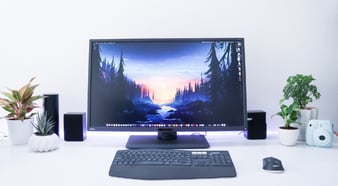
A cluttered desktop is easy to ignore, but it’s the first thing you see when you open your laptop. Start the day without distractions.
Remove unnecessary files, group what remains into folders and keep only what you actually use. Keep it simple and easy to scan.
4. Organise Files and Folders
Go through your documents and bring some structure back.
Archive old work, remove duplicates and keep file names clear and consistent. A well-organised structure makes it easier to find what you need, when you need it.
5. Clean Up Your Downloads Folder
This is where unused files build up fastest.
Old files and images often sit there long after they’re needed. Clearing it out regularly helps reduce noise and free up space.
6. Tidy Your Email and Messages
Emails pile up quickly, even when they’re no longer relevant.
Delete or archive old messages, organise folders and keep only what’s useful. It helps reduce overload and keeps important messages easy to stay on top of.
7. Review Access and Permissions
People join, leave and move roles, but access doesn’t always get reviewed.
Check for inactive accounts, unnecessary access and shared folders that have grown over time. Aligning access with current roles helps reduce risk.
8. Update Systems and Remove What You Don’t Use
Make sure devices and software are fully up to date.
Remove applications that are no longer used and check that updates have been applied consistently.
Keeping systems up to date helps protect against known vulnerabilities.
9. Strengthen Passwords And MFA
Security measures are often in place, but not always consistent.
Use strong passwords and enable multi-factor authentication across all key systems. Multi-factor authentication adds an extra layer of protection, especially where access to sensitive systems is involved. It’s one of the simplest ways to reduce risk.
10. Don’t Overlook Your Browser
We spend a lot of time working in a browser, but it rarely gets cleaned.
Review your bookmarks, remove what you don’t use and organise the rest so frequently used pages are easy to access. Clear your history and cookies from time to time.
11. Check Your Backups
It's easy to assume that backups are working properly, but that's not always the case.
Make sure they’re running correctly and test them where possible. It’s the only way to be confident your data can be recovered if needed.
12. Refresh Your Setup
Once everything is clear and organised, take a step back.
Change your setup if it no longer works. Small adjustments to positioning, lighting or posture can make a noticeable difference. Add a few personal items, but keep it minimal to avoid clutter building up again.
Spring is a useful reminder to step back and reset
Spring is a useful reminder to step back and reset. Most of these changes are small, but together they make a noticeable difference. A clearer workspace, better structure and tighter control all add up to a more manageable, secure environment.
It’s not just about a seasonal reset, but keeping that structure in place all year round. Having the right support in place helps keep things organised and consistent.
Call us: 0131 603 7910
Message us: https://www.grantmcgregor.co.uk/contact-us