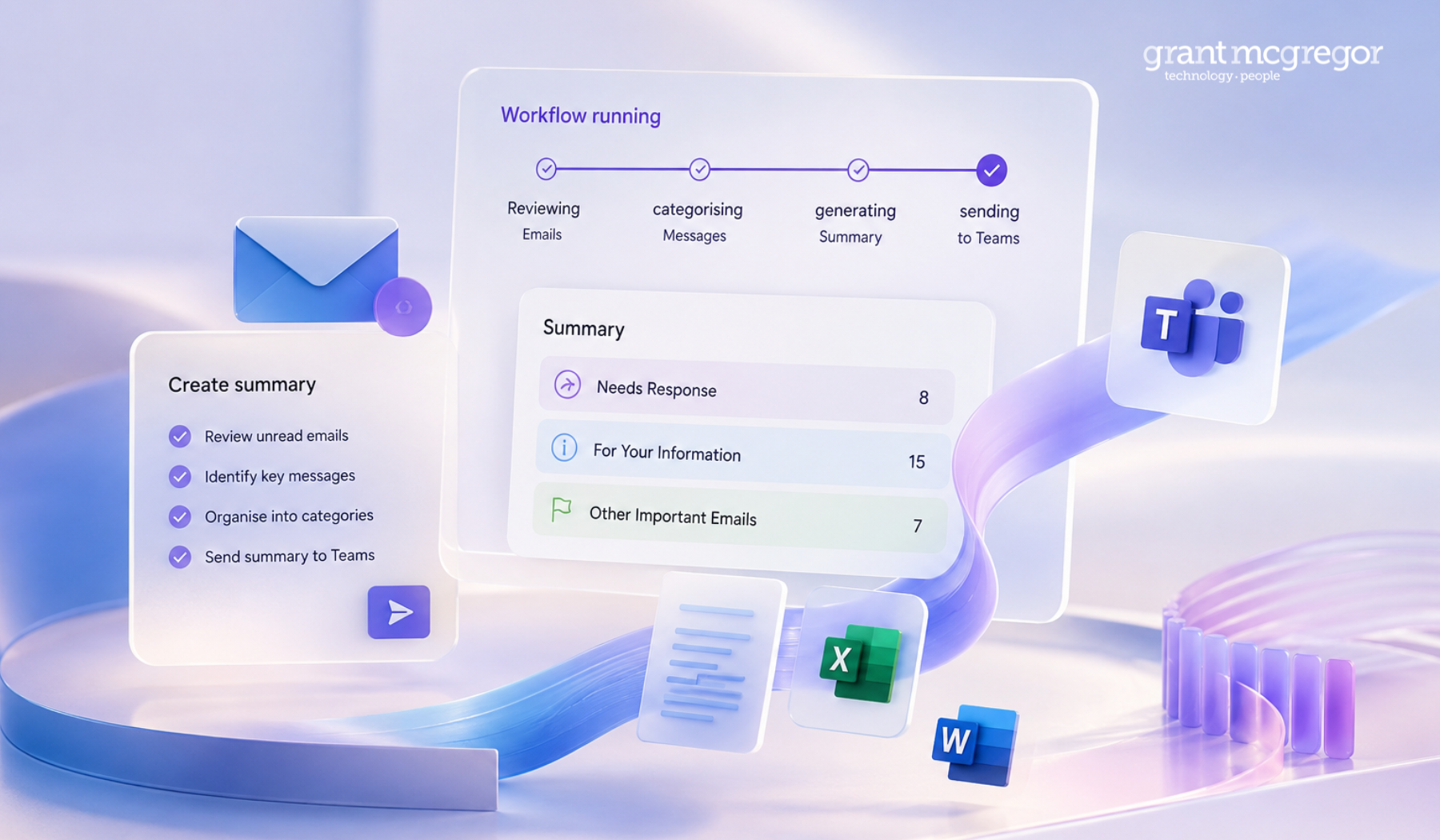
When most people think about AI, they tend to picture chatbots answering questions. However, Microsoft Copilot is gradually becoming much more integrated into everyday work across Microsoft 365.
Recent updates have introduced custom AI agents and workflow automation, as well as providing deeper support across Office apps and more advanced document assistance inside the tools that businesses use every day, including Outlook, Teams, Word, Excel, SharePoint and PowerPoint.
For organisations already working within Microsoft 365, Copilot is part of their working environment.
Copilot works across the Microsoft 365 environment
One of the biggest advantages of Copilot is that it is already integrated with the Microsoft 365 ecosystem.
Copilot can pull context from multiple Microsoft 365 apps and services together, including:
-
Outlook
-
Teams
-
Word
-
Excel
-
SharePoint
-
OneDrive
-
PowerPoint
Copilot also works alongside Microsoft 365's existing security, compliance and access controls, helping organisations maintain privacy, governance and data protection requirements while using AI tools.
Microsoft has also confirmed that company data and prompts are not used to train the underlying AI models.
Copilot is expanding across Word, Excel, Outlook and other Microsoft 365 apps
Recent Microsoft updates are also making Copilot more capable directly inside apps such as Word, Excel and PowerPoint.
Copilot's capabilities now extend beyond basic prompting and drafting within documents and files.
Outlook
- draft and rewrite emails
- summarise long email threads
- suggest replies and follow-ups
- identify action points from conversations
- organise inbox information more efficiently
Excel
- create formulas
- analyse datasets
- identify trends
- clean spreadsheet data
- generate charts and summaries
Word
- rewrite and restructure documents
- summarise reports
- create first drafts
- pull information from meetings, emails and files across Microsoft 365
Teams
- summarise meetings and chats
- identify actions and decisions
- create meeting recaps
- answer questions about conversations and shared files
- help draft messages and updates
PowerPoint
- create presentations from existing documents
- apply layouts and formatting automatically
- use Brand Kits to maintain visual consistency
- update slides with prompts
Recent updates are expanding these capabilities further through agents, workflows and more advanced document support inside Microsoft 365.
What’s New in Microsoft Copilot?
Microsoft is also expanding more advanced “agentic” capabilities inside Office apps, allowing Copilot to complete larger multi-step tasks rather than simply responding to one-off requests.
At the same time, Microsoft is testing workflow capabilities that allow users to automate tasks using natural language rather than complex technical setup.
Microsoft is also introducing more advanced 'agent-based' capabilities to Office apps, enabling Copilot to handle more complex, multi-step tasks across the Microsoft 365 suite.
For instance, rather than rewriting an individual paragraph, users can now prompt Copilot to restructure an entire Word document, rewrite sections in a different tone, summarise lengthy reports, extract information from meetings and emails, or apply formatting changes throughout the document.
Similar capabilities are expanding into Excel and PowerPoint, where Copilot can assist with larger tasks such as analysing datasets, creating charts, building presentations, and updating slides while preserving layouts and branding.
AI agents built around business tasks
One of the latest additions to Microsoft Copilot is the ability to create custom agents tailored to specific roles, departments and workflows.
While Microsoft has already introduced built-in agents such as Researcher and Analyst, businesses can now create their own specialised assistants using approved company information and Microsoft 365 data.
Rather than relying solely on public internet information, these agents can access approved company sources, such as: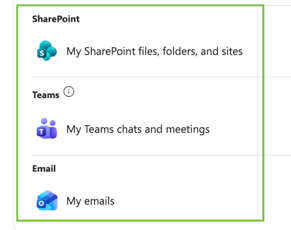
-
SharePoint files and folders
-
Teams chats and meetings
-
Emails
-
Internal documents
-
Approved websites
During testing, we created example agents based on everyday business scenarios.
HR Policy Assistant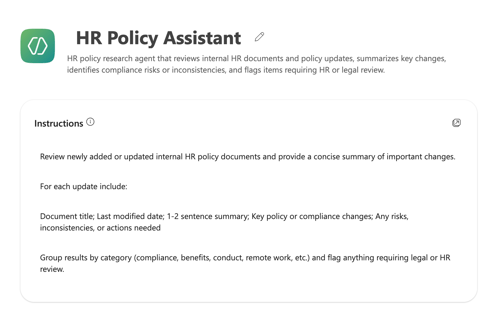
This agent was built to review internal HR policy documents, summarise key changes and highlight areas that require HR or legal review.
This could help HR teams:
• stay on top of policy updates
• reduce the time spent reviewing lengthy documents
• identify inconsistencies or compliance risks faster
Instead of manually searching through folders or documents, users can ask direct questions and receive answers based on approved internal information.
Marketing Content Repurposing Assistant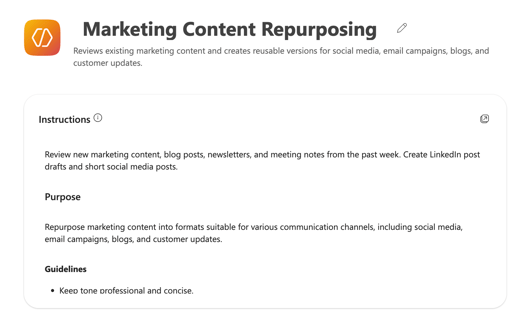
We created another agent, this time focused on marketing content.
The assistant reviewed blogs, newsletters and meeting notes before creating reusable content for:
-
LinkedIn posts
-
customer updates
-
email campaigns
-
shorter social media content
For busy marketing teams, this could help reduce repetitive admin work while maintaining consistency across channels.
Client Follow-Up Assistant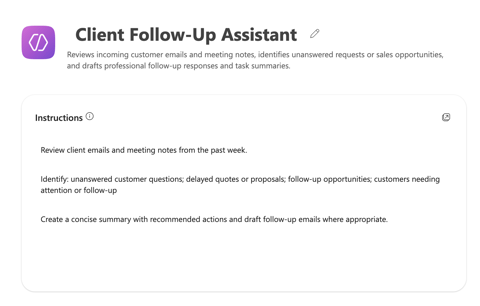
We also tested a client follow-up assistant that was created to review customer emails and meeting notes.
The assistant identified the following:
-
unanswered customer questions
-
delayed proposals
-
follow-up opportunities
-
client conversations requiring attention
It then suggested next steps and drafted professional follow-up responses. For sales and customer-facing teams, this type of functionality could help to reduce missed opportunities and improve responsiveness.
Journalist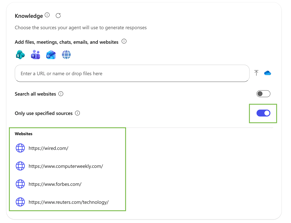
We created another agent that summarised recent technology news relevant to our industry by browsing the specified websites.
The agent grouped the stories into the following categories:
-
positive industry developments
-
neutral updates
-
risks or threats
We asked it to prioritise topics such as: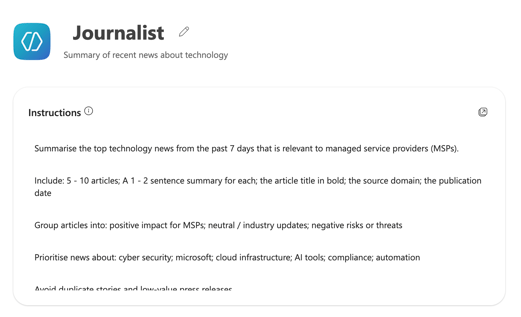
-
cyber security
-
Microsoft
-
cloud infrastructure
-
AI tools
-
compliance
-
automation
This kind of functionality helps teams stay informed without having to manually review multiple websites and news sources every day.
Workflow automation is starting to roll out
Microsoft is also testing new workflow automation capabilities within Copilot. These features are currently in beta and will be rolled out gradually.
Traditionally, automating workflows inside Microsoft 365 often required knowledge of Power Automate or a more technical setup.
The new Copilot workflow experience is designed to simplify this process by providing conversational instructions and natural language prompts.
This allows users to automate repetitive tasks more easily across Microsoft 365 apps and services. While these capabilities are still evolving, they demonstrate Microsoft’s vision for Copilot: to make automation more accessible to everyday users, not just technical teams.
Brand Kits and consistent content
Microsoft is also introducing Brand Kits for Copilot.
This allows organisations to generate content with approved:
-
colours
-
fonts
-
visual styles
-
templates
-
brand guidelines
Copilot can then use these standards when generating presentations, documents and other content.
These features support marketing and customer-facing teams through:
- improved brand consistency
- reduced formatting work
- faster content creation
- more consistent presentation standards across teams
Interested in exploring Copilot further?
Microsoft is continuing to expand the capabilities of Copilot across Microsoft 365, including document support, data analysis, custom agents and workflow automation.
Some features are still rolling out gradually, while others are already being used by businesses day to day across Outlook, Teams, Word, Excel and SharePoint.
If you'd like to find out more about Copilot, understand what’s included, or explore where it could fit within your organisation, the team at Grant McGregor would be happy to help.
Call us: 0131 603 7910
Message us: https://www.grantmcgregor.co.uk/contact-us